A GIF With a Transparent Background: What Actually Changes
A GIF with transparent background pixels lets the surface behind it show through those pixels. GIF89a transparency is binary: each pixel is transparent or opaque, with no PNG-style partial alpha. A partly blended edge in the source therefore cannot remain partly transparent in a GIF; its visible pixels may still carry a light or colored fringe.
Use the animated GIF transparent background workflow to check those edges as the subject moves. CleanGIF reconstructs frames using source disposal methods 1, 2, and 3 and exports with disposal method 2. Export preserves frame delays and loop settings for animated GIFs, including infinite, finite, or non-looping playback with no loop extension; a single-frame export omits loop extensions.
How to Make a GIF Transparent for Discord, Twitch, and Slack
Start with a sticker, logo, or emote on a fairly even backdrop. Open it in the transparent GIF maker. The Discord preset provides a dark surface; the checkerboard shows which pixels are clear. Choose a representative frame and select the background rather than the subject.
CleanGIF is free, with no sign-up and no watermark. Open one GIF at a time, up to 50 MiB, 2,400 pixels per side, 300 frames, and 384 MiB of decoded RGBA frame data. Device memory may impose a lower practical ceiling.
Select the backdrop deliberately. Magic Wand follows connected regions, useful when a white backdrop surrounds a white-eyed character. Color Key targets similar colors across the frame; Green Screen handles chroma backdrops. To clear the backdrop around a moving subject, raise Tolerance gradually. If a sleeve or letter disappears, back off or try another mode.
Add points for enclosed gaps. Space inside a letter, between arms, or beneath a tail may not connect to the outside. Add seed points in those inner holes. In the transparent GIF maker, inspect changing poses: a gap can close in a later frame. Avoid selecting subject details that share the background color.
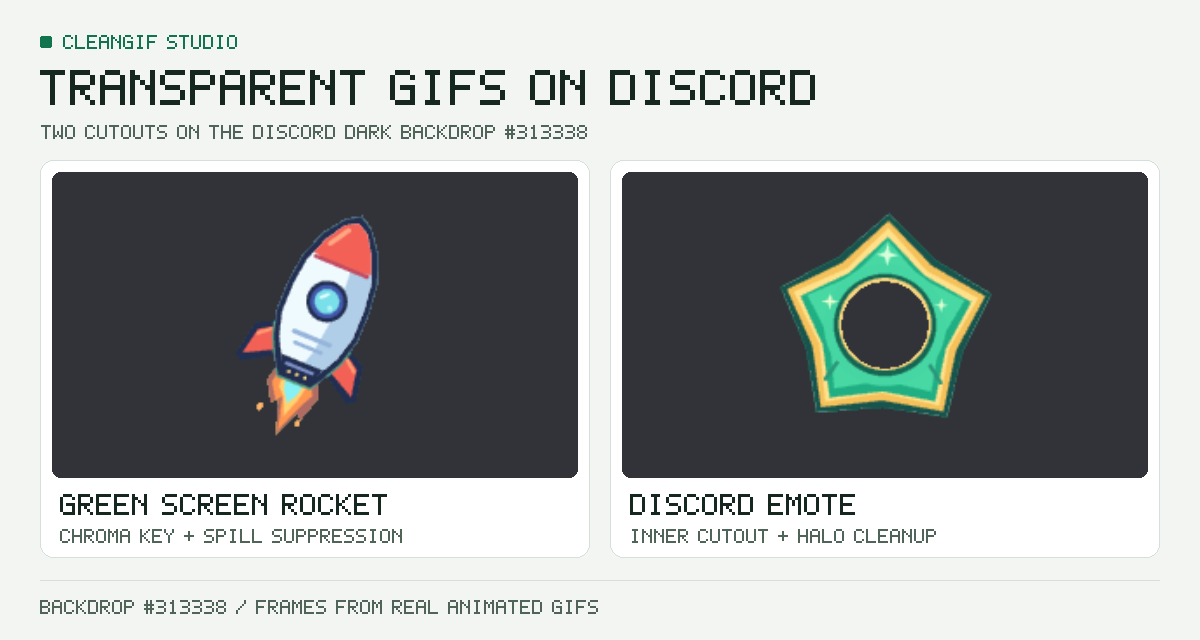
Check the edge on dark. View the animation on the Discord #313338 backdrop. If a light seam appears, increase Halo Cleanup gradually and compare before and after. For a persistent narrow rim, try Edge Shrink at 1px, then check whether thin strokes, outlines, or small facial features have survived. Green Screen users can also enable Spill suppression to reduce a green cast along the subject. The transparent GIF maker is most useful when you inspect the whole loop, not just a single frame.
Export and test in context. Open the downloaded GIF in the chat, stream, or web page where it will be used. Leave space for motion and check the destination's current file requirements. You can export a PNG frame if you need a still.
When making a logo background transparent, check corners and spaces inside letters. For an overlay, test light and dark scenes too.
Disposal Methods, Ghost Trails, and Export Best Practices
GIFs may store only a changed part of each frame. Disposal method 1 leaves the preceding image in place, method 2 clears the frame area, and method 3 restores what was there before it. Removing the background without rebuilding frames can leave smears or ghost trails. CleanGIF reconstructs displayed frames and exports with disposal method 2 so each transparent frame starts cleanly.
The transparent GIF maker uses a palette with up to 255 visible colors plus one transparent index. GIF does not offer a full partial-alpha channel, and reducing a detailed source to a limited palette can change gradients. Export preserves frame delays and, for animated GIFs, loop settings: infinite, finite, or non-looping with no loop extension. Single-frame exports omit loop extensions. The browser preview repeats continuously and clamps very short delays to at least 20 ms; 0 ms is shown as 100 ms. Destination apps may apply their own playback rules. Keep the source file so you can return to a less aggressive edge setting if needed.
| Destination | Starting point | Practical check |
|---|---|---|
| Discord | Square emote with room around the subject | Custom emoji must be under 256 KB; animated emoji availability follows Discord Custom Emoji Help. |
| Discord animated stickers | Separate from custom emoji | Discord's newer Stickers blog post lists exactly 320×320 px, maximum 512 KB, and GIF or APNG for animated stickers; the older Sticker Creators FAQ lists APNG only. Check the live upload screen and Discord Custom Stickers FAQ rather than assuming GIF always requires APNG conversion. CleanGIF does not resize, compress, or export APNG; use another tool if needed. |
| Twitch | Small, high-contrast animated emote or alert | Auto-resize accepts GIFs up to 1 MB and 60 frames; manual mode allows up to 512 KB per file. Twitch Animated Emotes. |
| Slack | Compact square emoji or reaction | Slack recommends a transparent square under 128 KB; GIFs can include up to 50 frames. Slack Custom Emoji. |
| Animated sticker | Animated stickers can be up to 500 KB and 10 seconds, with 512×512 px recommended; GIF files may need conversion to sticker format. WhatsApp Stickers FAQ. | |
| Web banner | Dimensions that suit the intended layout | Compare against the real page background and test loading speed. |
Destination requirements (checked 2026-11-26): These are destination platform constraints, not CleanGIF input limits. CleanGIF does not resize, crop, or compress GIFs; use another tool if needed and verify each platform's latest guidelines.
A useful limit: Complex footage, moving shadows, translucent material, and hair can remain difficult to separate from a similar-colored scene. A flat source or clean screen usually gives the transparent GIF maker a better starting point.
For a general-purpose workflow, use the GIF background remover. Check the edges against each destination, and use Tolerance and Edge Shrink sparingly around fine details. The transparent GIF maker keeps those checks close at hand.
For other backdrops, choose the green screen GIF remover with spill suppression. The step-by-step guide to make a GIF background transparent explains the complete inspection and export sequence. The GIF processing privacy policy describes local file handling and anonymous aggregate analytics.